
Package Invoices
This holds true for an ‘Invoice’ or ‘Estimate’ and these terms in the text are interchangeable.
Many funeral homes provide package options to their clients.
This where the Professional Service fee includes other fees for a set price.
FreeDAM can produce invoices that do this.
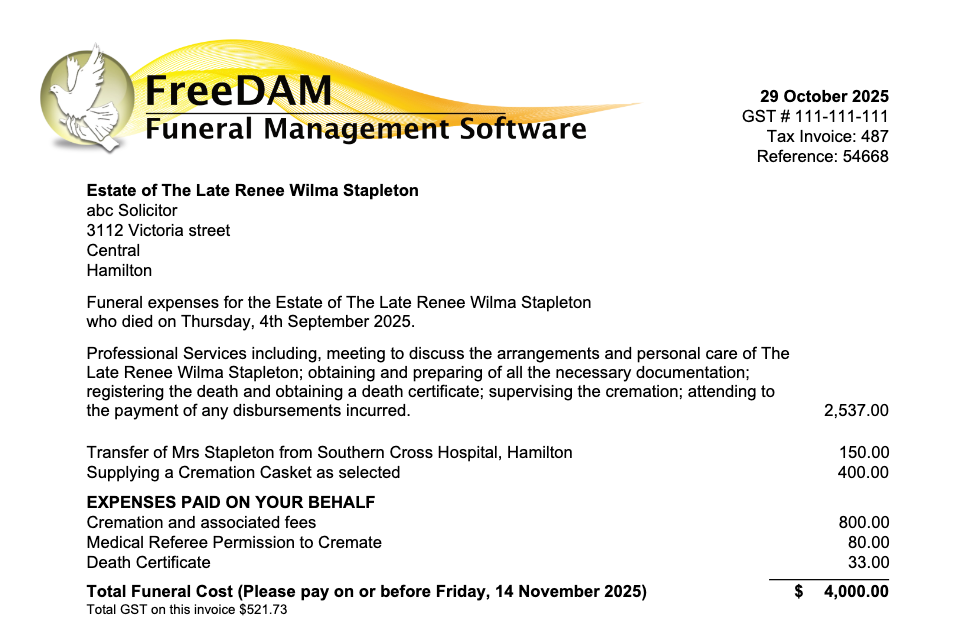
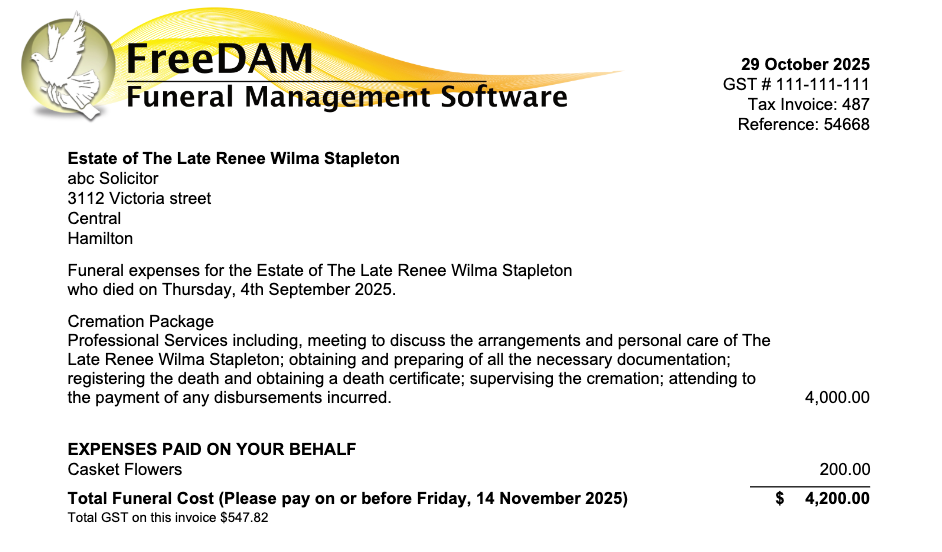
For example an all inclusive cremation package might have prices on it like this.
Cremation Package – $4000.00
Profesional Services $2537.00
Transfer Fee $150.00
Cremation Casket. $400.00
Cremation Fee $800.00
Dr’s Fee $80.00
Death Certificate $33.00
The invoice would print like this…
Making fees part of a Package
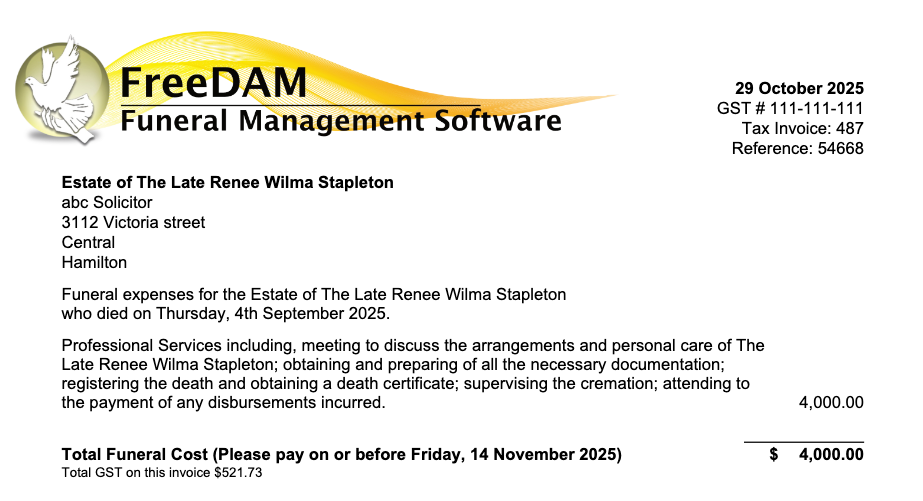
When you tell a fee on an invoice to be part of the package that fee is not printed on the invoice and the value of the fee is added to the main professional services.
This allows you to still have your invoice values split into the appropriate sales accounts but allows you to present a ‘package’ invoice to the family.
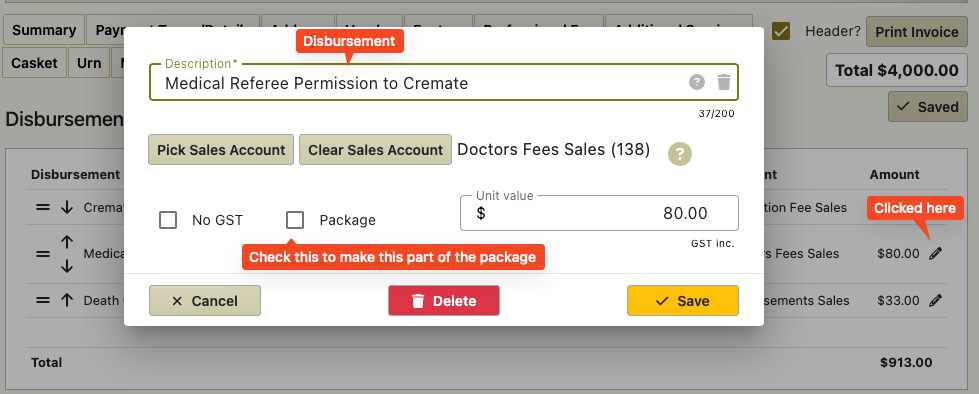
On all the sections on the invoice (except the professional services) there is a ‘Package’ check box. Ticking this will make the fee ‘part of the package’.
On the additional Services, Merchandise and disbursements this checkbox is in the popup box that displays when entering an item.
On the casket and urn screen this checkbox is directly on the screen.
This is how the above invoice would display as a package
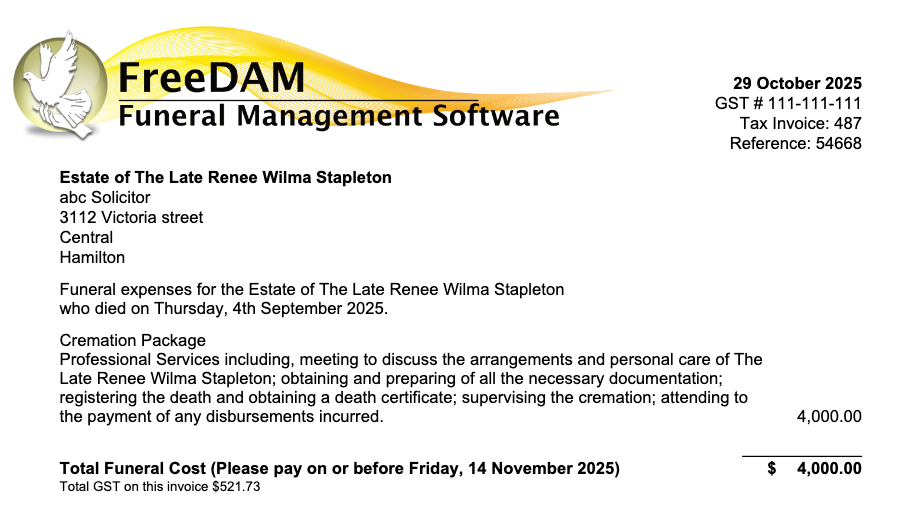
You could add in an extra line at the top of the professional services text that states the name of the package if you wanted to.
But the family have added flowers that are not part of the package!
No problem.
Add in the flowers in the disbursements just like you usually would – but ensure that the package option is not ticked. This allows you to have packages but you are also able to ‘add’ things on to a package.
I want to use packages but I want the included items listed without a price next to them
Yes – FreeDAM can do this.
We just need to program your invoice to work like this.
But I upload invoices to Xero – Will this throw my figures out
No – The items will still upload to Xero as separate line items with the correct sales code. It is the manipulation on the printing of the invoice that does the magic.