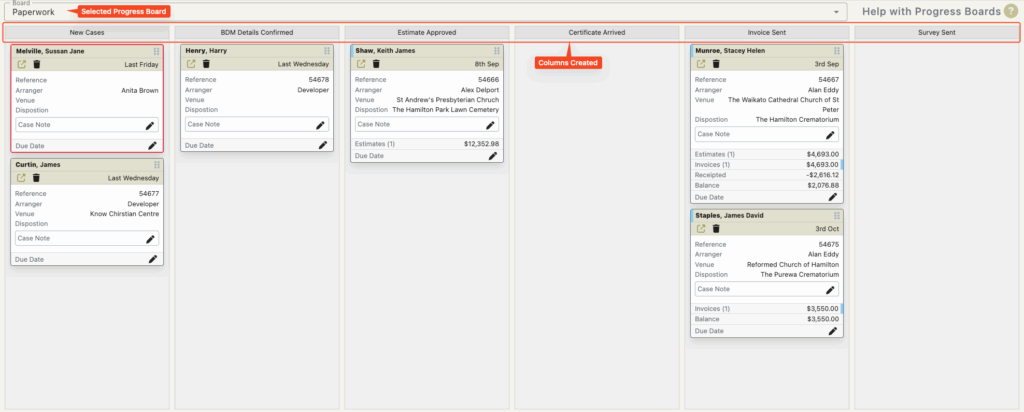
Creating the Columns
The columns on a progress boards are your workflow items.
The order of the columns are important. Your workflow items (columns) will show from left to right but in this setup screen we list the columns top to bottom with the compulsory ‘First Column’ at the top.
To add a column click the ‘+ New Column’ button.
Name the column
The name of the column will be what is displayed on the board.
i.e. what your users will drag cards onto
So columns should be named accordingly. (Estimate Given – rather than column 3)
Columns can be reordered after creation by using the drag lines or the arrows on the left of the column name.
Columns can be deleted by clicking the trash can on the right of the column name.
Click the Save button to save the board
Note: Individual columns are not saved until the whole board is saved.
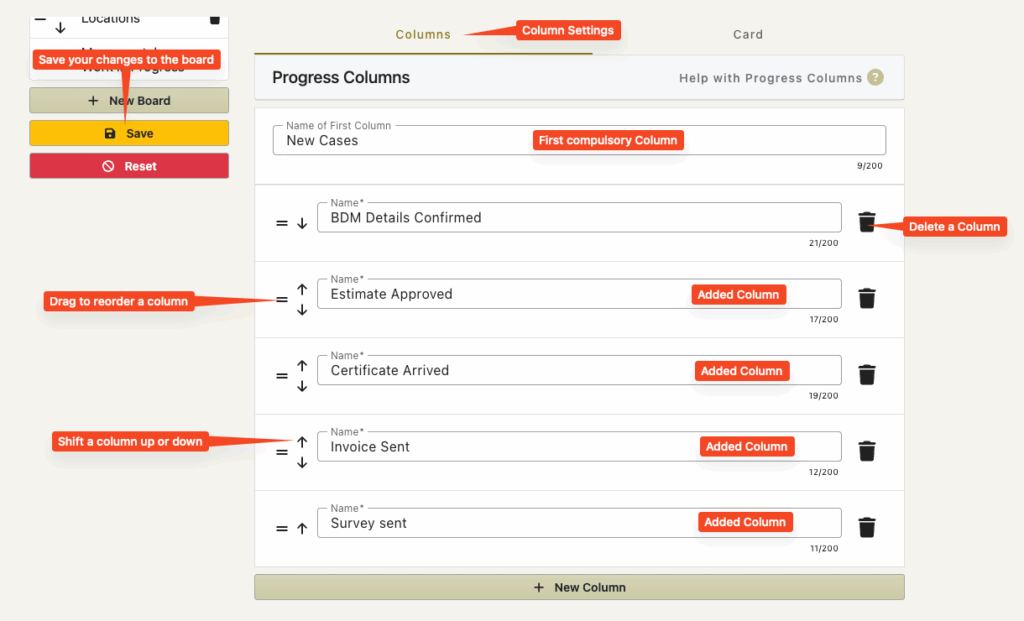
The following is how the above board would be displayed with the added columns running left to right.