Printed Materials Preferences
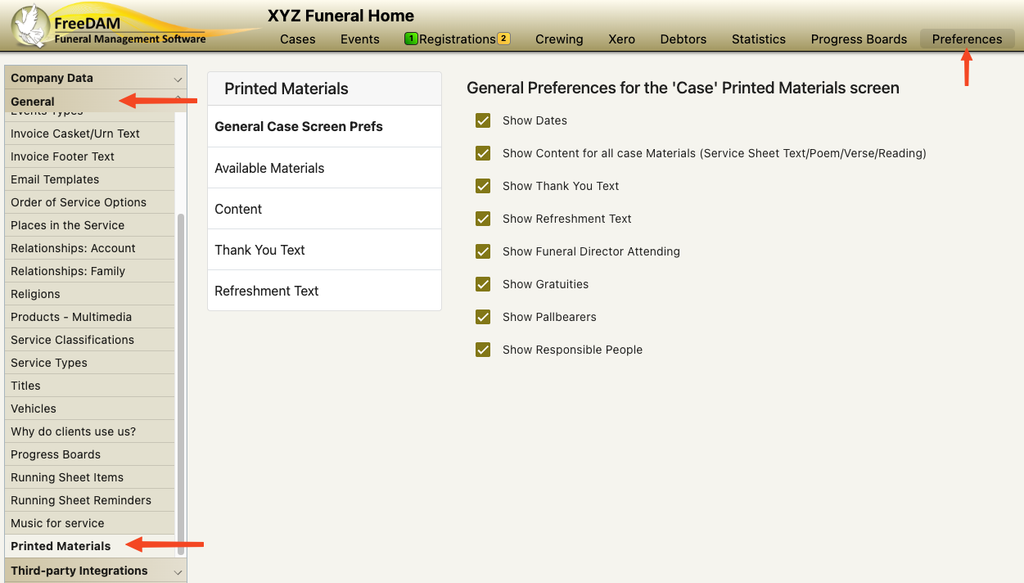
The preferences for the printed materials can be found under Preferences/General/Printed Materials
General Case Screen Prefs
This section is to hide or show various options on the case’s printed materials screen.
Ticking will show the option – unticking will hide the option.
For example
if you do not have a need to record any people responsible for the printed materials (family members) then just untick this option.
Available Materials
You are able to create a list of available materials to choose from.
These can have…
- A name
- A Code that should be used
- Whether or not there will be the ability to upload files against it
- Whether or not the printed material has a drop box link
- If it has design instructions and any default design instructions
- and if it has the ability to add text content to it.
When an available material is selected for a case – you will also be able to indicate the number to be printed.
Available materials also have the ability to have sub-materials.
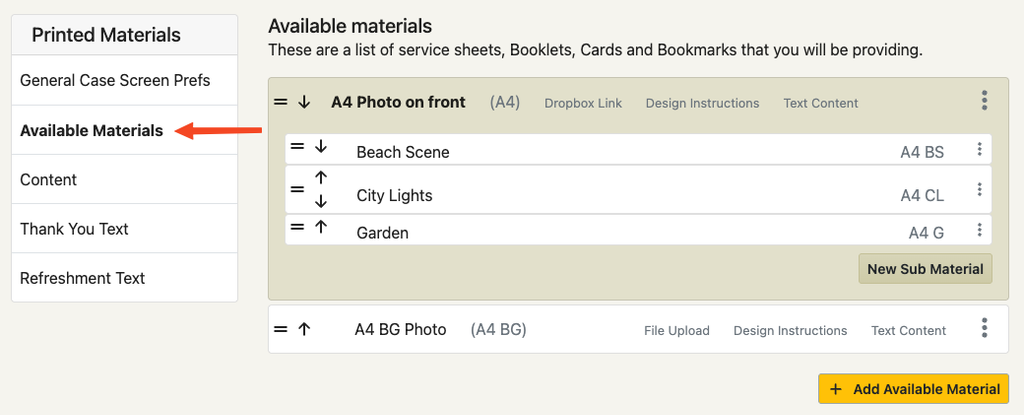
This can be used when you have an certain type of service sheet (e.g. A4 photo) that has various design options to be able to be selected (i.e Beach, City Lights, Garden etc)
In this example there are two available materials with the A4 Photo on front having three sub material options.
Content
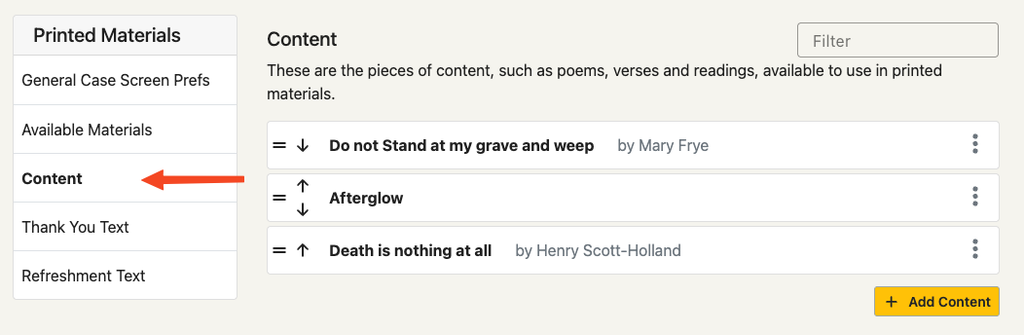
Adding content to the printed material preferences will allow you to easily select commonly used content for each case.
This might be a commonly used poem or reading
or
it could be a standard order of service format that is often used.
Each content item has a title, the content and an author.
Thank You Text
This allows you to save various versions of thank you text paragraphs to be included on your printed material.
When you are entering the details on the case’s printed materials section you will be able to choose from the various pre-saved thank you text options you have entered here.
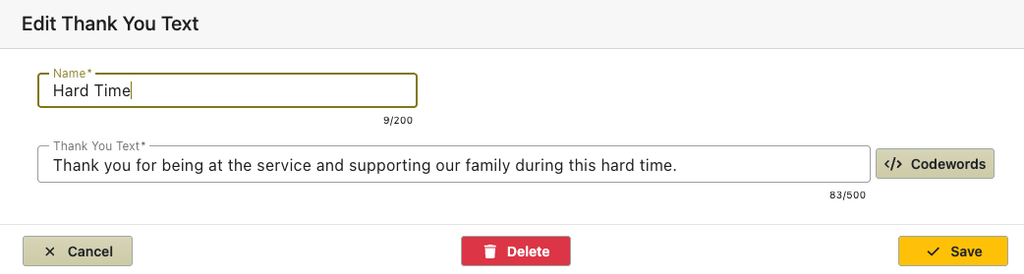
Thank you text can contain codewords that will be translated into the real data for the case.
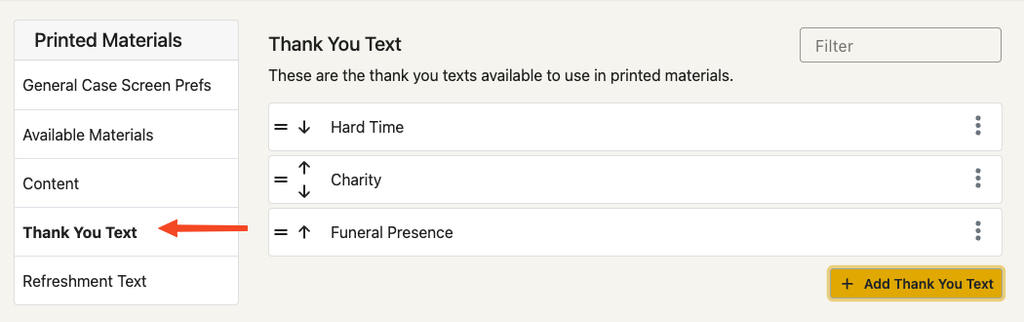
The thank you text has a short name to select from and also the actual text that will be inserted.
List of thank you texts created in the preferences to select from.
Refreshment Text
This allows you to save various versions of refreshment text paragraphs to be included on your printed material.
When you are entering the details on the case’s printed materials section you will be able to choose from the various pre-saved refreshment text options you have entered here.
Refreshment text can contain codewords that will be translated into the real data for the case.
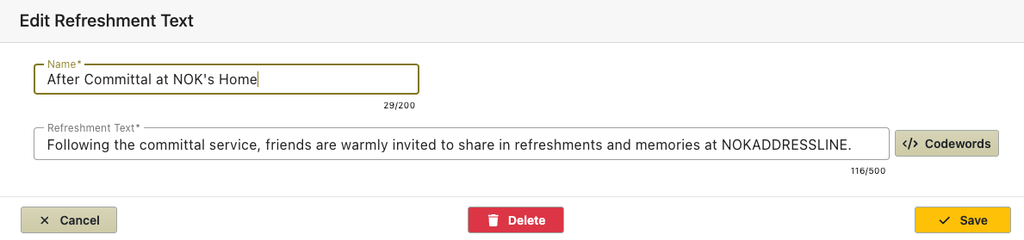
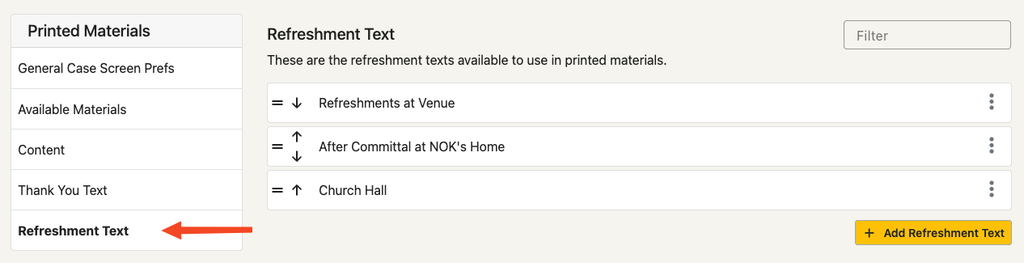
The refreshment text has a short name to select from and also the actual text that will be inserted.
List of refreshment texts created in the preferences to select from.
Example refreshment text with code words.