
← How Access Works
Resetting a Staff Member’s Password
Each staff member has their own username and password.
Freedom Software does not have access to any user’s passwords
These are hidden even from us!
Top change/reset a staff member’s password…
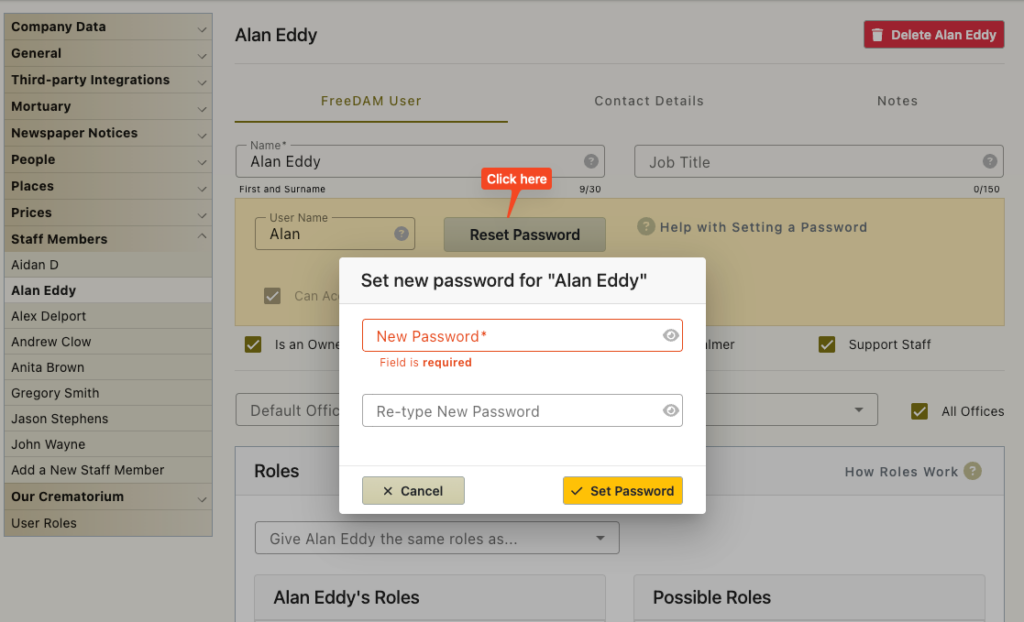
- Navigate to Preferences/Staff Members
- Click on the staff member that you wish to change the password for
- Click on the ‘Reset Password’ button
- Enter a new password Twice
- Click the ‘Set Password’ button.
The staff member can now log in with his/her username and password.
Staff can reset their own passwords
If a staff member would like to change their own password they can.
They do this by clicking on their name at the top right of the normal FreeDAM window.
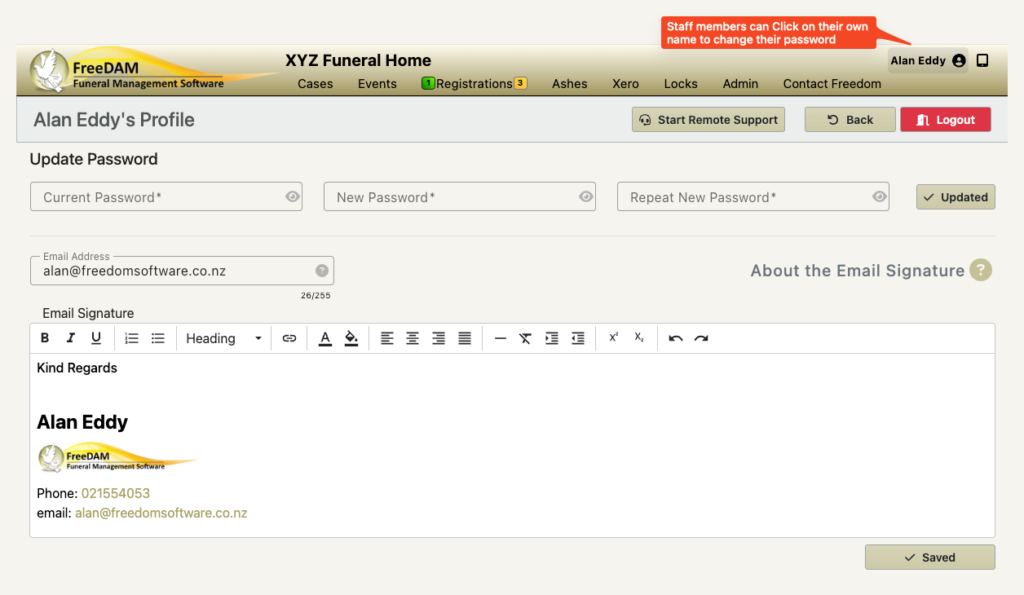
Here they will have to type in their current password and then enter a new password twice.
Once this is saved then the software will log them out and they will have to use their current username and the new self selected password to log back in.