
← Family Portal – An Overview
The Portal Data Entered List
There is now a new list on the left hand side of FreeDAM that will appear when family are using the portal.
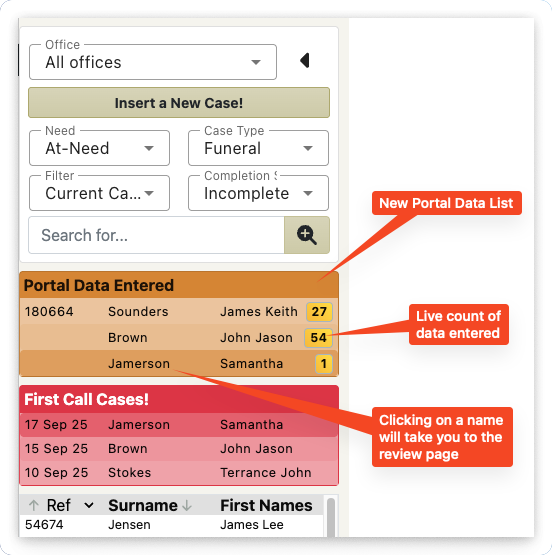
This orange list will only appear when the family start entering data into the portal.
The yellow count badges indicate the number of data fields the family have entered. This count is live! You are able to see this count go up in realtime.
Clicking on the name in the orange list will take you to the family portal review page for that case. It is there that you will be able to see the data that has been entered and curate it.
Of note:
The case may appear in the orange list and the first call list.
If the case has been given a case reference number then their name may appear in the current cases list as well as the orange list.