The Card Body Settings
You are able to display data in the main body of the card that may assist you with your workflow.
This information displays here on the card
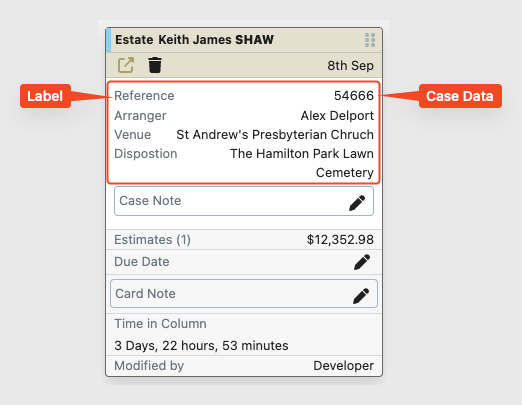
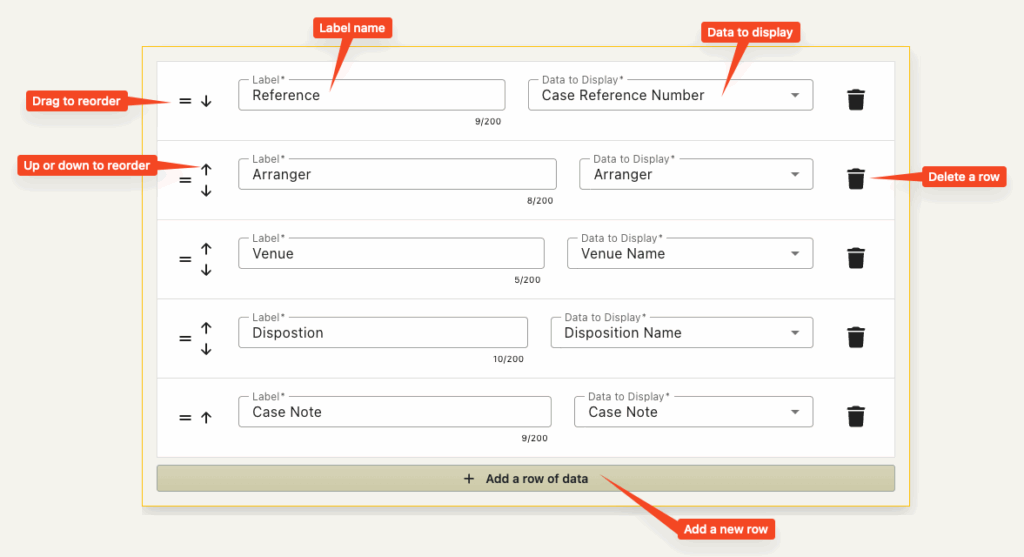
For each row in this area you are able to specify the label and what data should be displayed to the right of it.
You are able to set the order of the rows and move the data up and down the list.
The available data to display
You are able to display data from a restricted list.
The list of data is as follows
- The case reference number
- The Funeral Date
- The Venue name
- The Disposition Type (Burial, Cremation, Repatriation)
- The Disposition Date
- The Disposition name (Hamilton Cemetery, Hillcrest Crematorium)
- The Funeral Director
- The Arranger
- The Casket / Coffin
- The Place of Death
- The Office the case belongs to
- Case note – see below for more details
- A Card note – A note only associated with the card and not appearing in the case data at all.
The Case Note Card Data
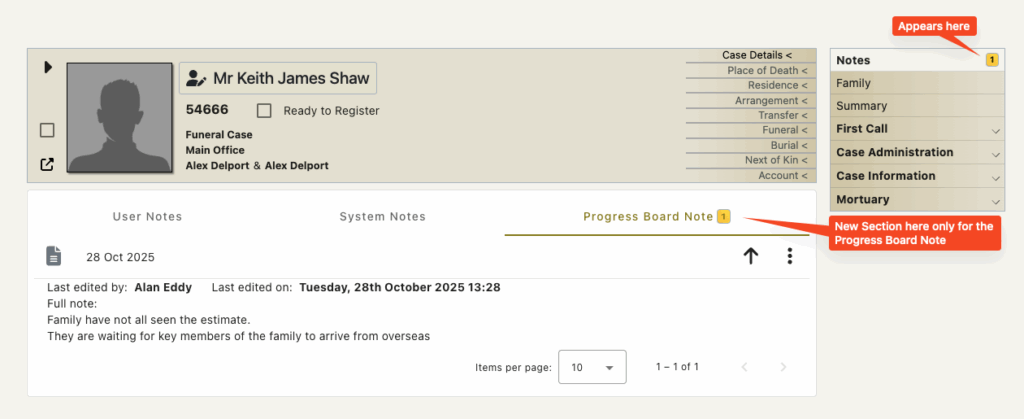
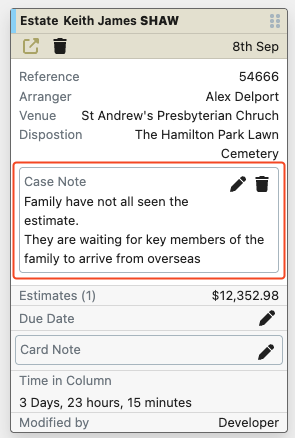
This is a note that you are able to enter on the card and the note will show in the notes section of the case (Only one note is possible).
If this is displayed on the card and a note is entered – then users of FreeDAM are able to see and edit the note in the ‘notes’ section of FreeDAM.
But users cannot enter a note in the notes section and have this show on the progress boards.
This will look like this on the card.
And will be displayed like this in the case notes section.