Merchandise
This holds true for an ‘Invoice’ or ‘Estimate’ and these terms in the text are interchangeable .
Merchandise are items that you buy in to sell on at a higher price.
The merchandise section allows you to enter items from a predetermined list set in your company preferences.
You are able to specify how many of the items you are selling and at what price.
FreeDAM will do the maths for you.
All items added to the invoice will be coded to a predetermined sales code that is set in your preferences.
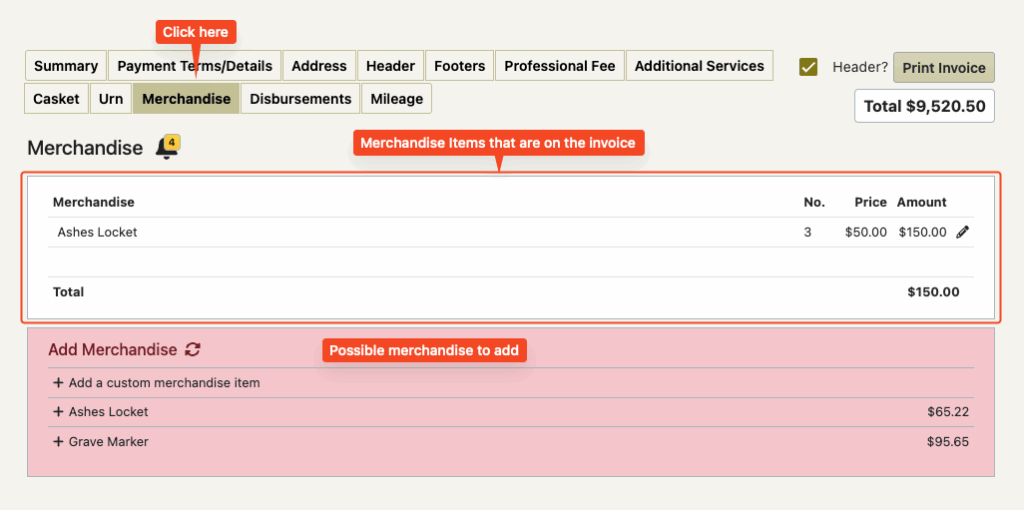
This screen also has invoice reminders on it
Adding Merchandise to the invoice
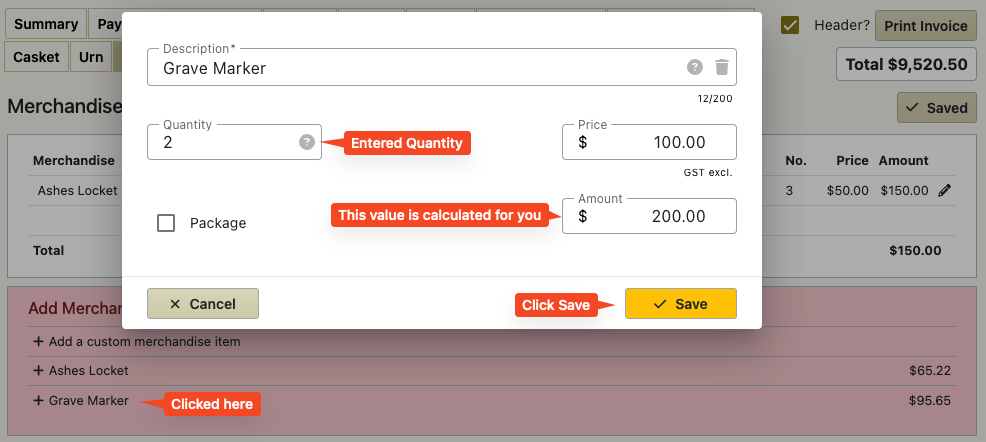
Click on a item in the pink list
In the pop up box adjust the description and price (if required) and add in the quantity required.
Click Save.
If the item you require is not in the list…
Click on the first line in the list ‘+ add a custom merchandise item’
Fill in the description, price and quantity and click save.
Reordering Invoice Merchandise Items
If you have more than two merchandise line items on the invoice (white box) then you will be able to change the order of these by dragging and dropping them or using the arrows on the left hand side of the item.

Deleting/Editing Merchandise items
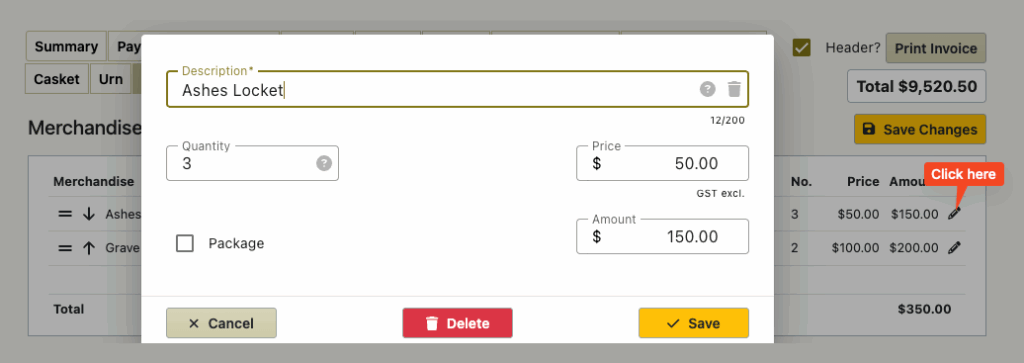
When you click on the pencil icon at the far left of the item (white box) then a pop up box will appear that will allow you to edit the item or delete it.