
Title
When a portal is created, the Title set are the defaults for the case.
When a portal is created for a case the title is able to be changed on the case if required.
The Title
The title is the space at the very top of the portal.
This can be contain your office/company name or any other text you wish.
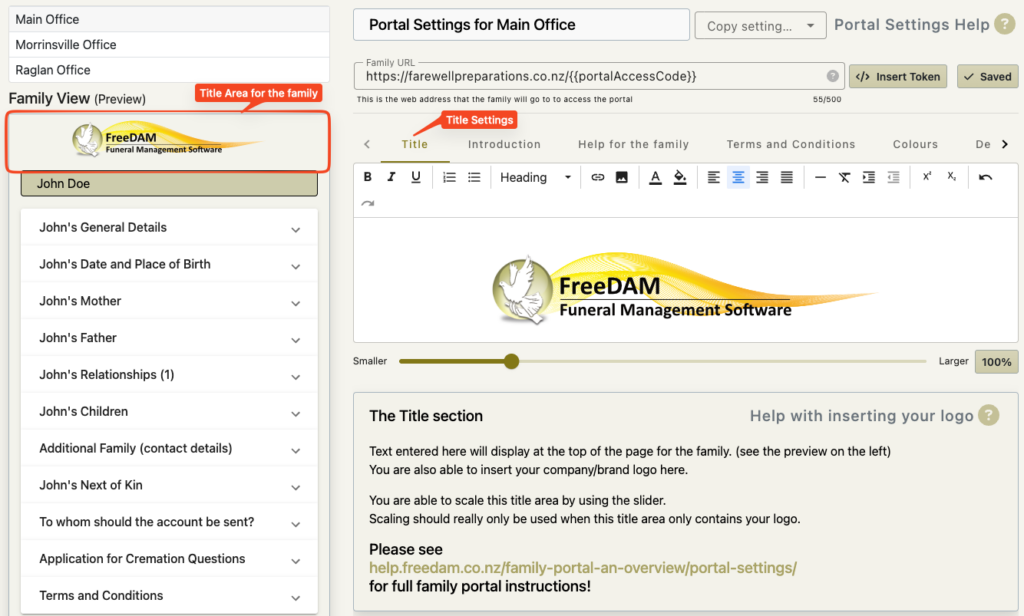
The title is the space at the very top of the portal.
This can be contain your office/company name or any other text you wish.
Adding your logo to this field
To add your logo to this field you will need to have a logo available for linking on the web. Typically this will be from your website.
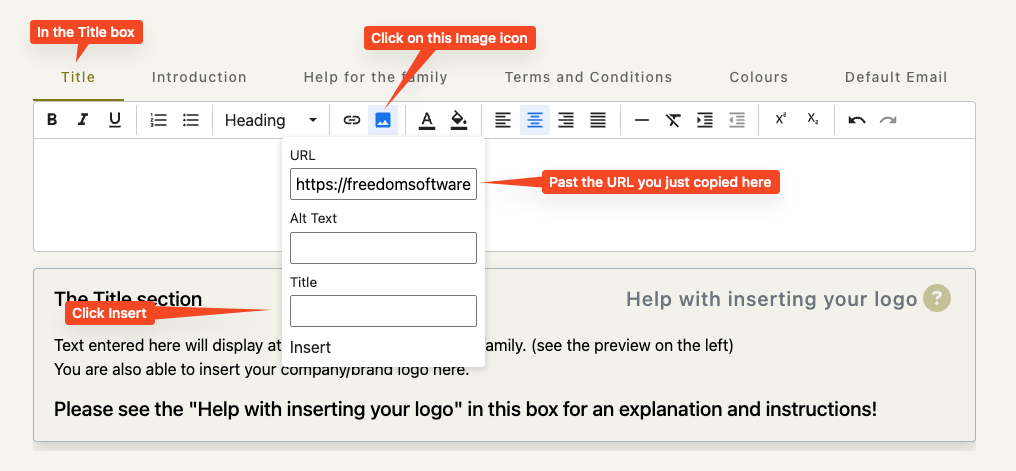
Follow these steps…
- Go to your website and find your logo that you wish to display in this box.
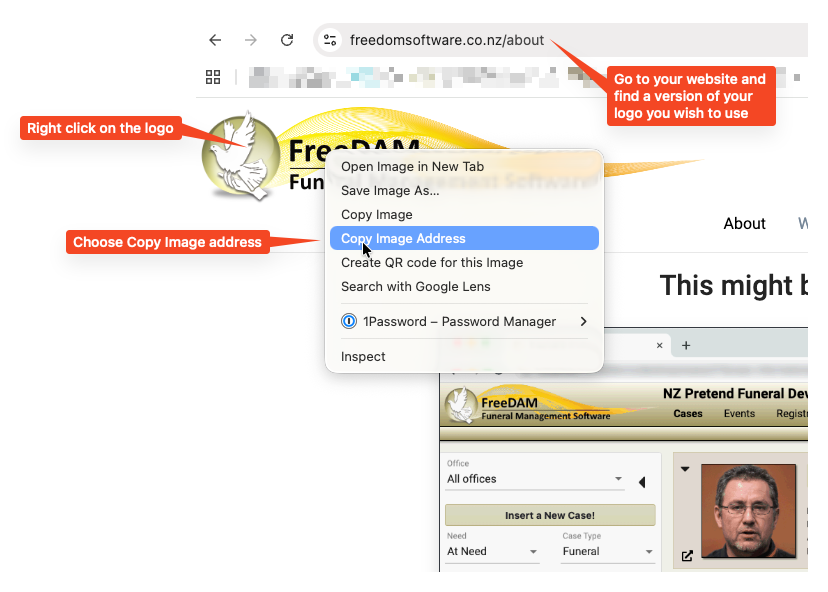
- Return to the portal settings, in the title box click the image icon and in the URL field – paste what you have just copied.
WARNING!
Remember – If you change your logo on your website – this will also change the logo that the family will see in the portal!
Scaling the title
As this title area is likely to only contain your logo – we allow you to scale this area so you can ensure your logo appears nicely for the family.
Use the slider to scale the title area.
You can see the results in the family preview
WARNING
Scaling adjusts the complete title area including any text.
Logos with non white backgrounds
If you have a logo with a non white background you may have to change the background of the portal so that your logo displays correctly.
You will need know the exact background colour.
Set this background in the Portal Colours/Branding section of the portal settings.