
Default Email
The family need to login to the portal using a link sent to them and a code and password.
It is envisioned that these details need to be sent to the family via email as a brief introduction can be made and a the link can be made clickable.
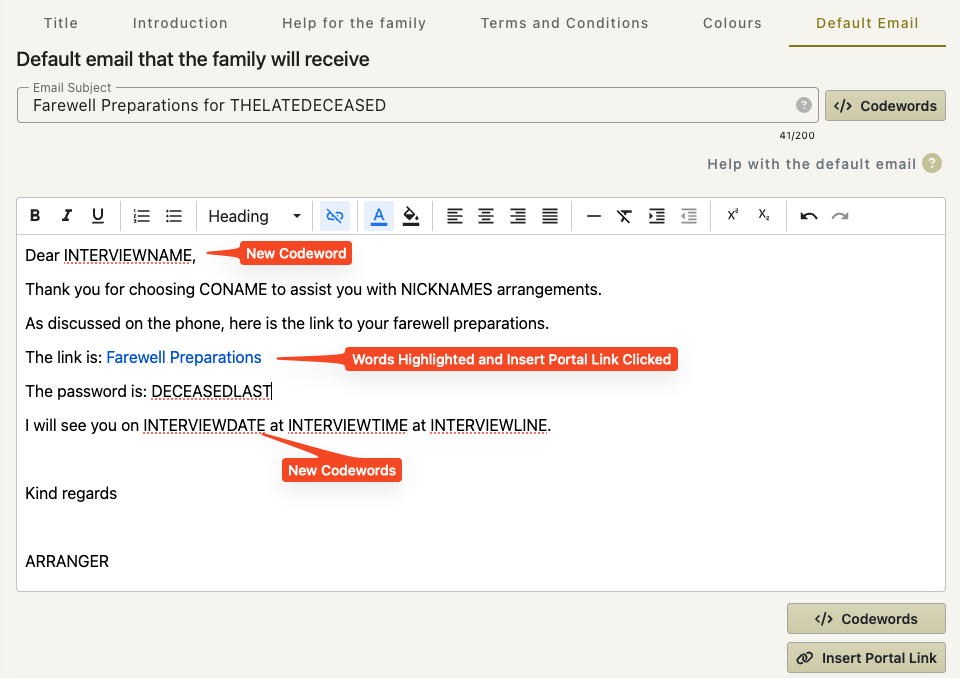
The default email setting allows you to construct the email that you wish to be sent.
When sending the email from the software you will be able to add to the email or adjust to to a particular family’s situation.
You can have different default emails for each office.
This is an example of a default email.
This is the resulting email created from the above settings.
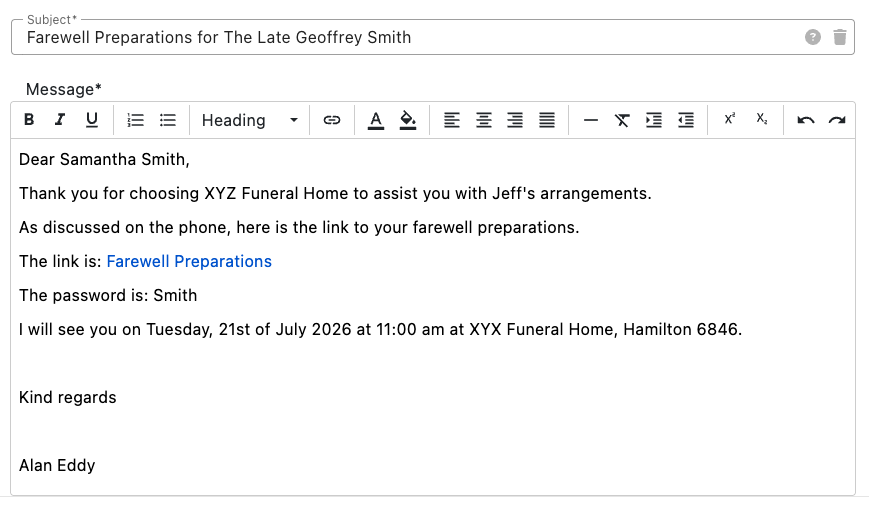
Dear…
There is no guarantee that we will know exactly who we are sending the email to at this stage i.e. if might not be the next of kin (wife) it could be a more tech savey daughter. So the default email leaves ‘Dear …’ for you to replace the dots with the correct name.
See also adding code words