
Letters
Overview
The Letters screen holds every letter written for a case. From here you can write a new letter, edit an existing one, print it, print its envelope, or delete it.
To open it, open the case and choose Letters from the case menu.
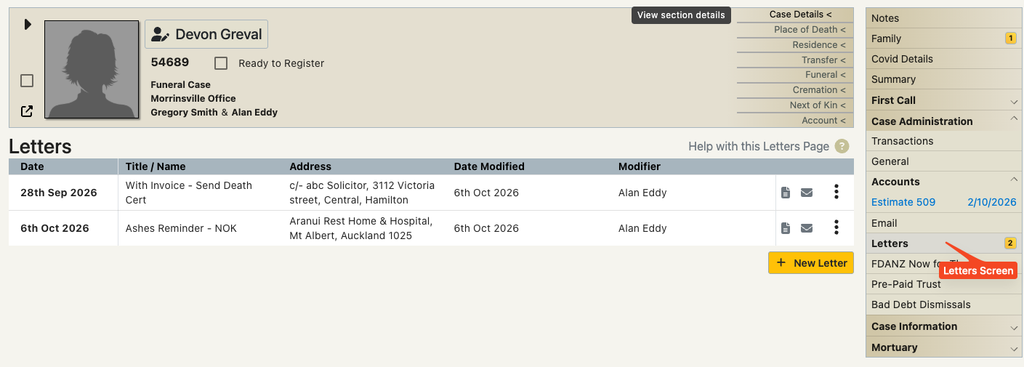
Click the help icon next to the Letters heading for a short reminder of how the screen works.
Writing or editing a letter
Click New Letter at the bottom of the list to start a letter, or choose Edit Letter from a letter’s menu. Both open the same letter window. If New Letter is greyed out, you don’t have permission to add letters.
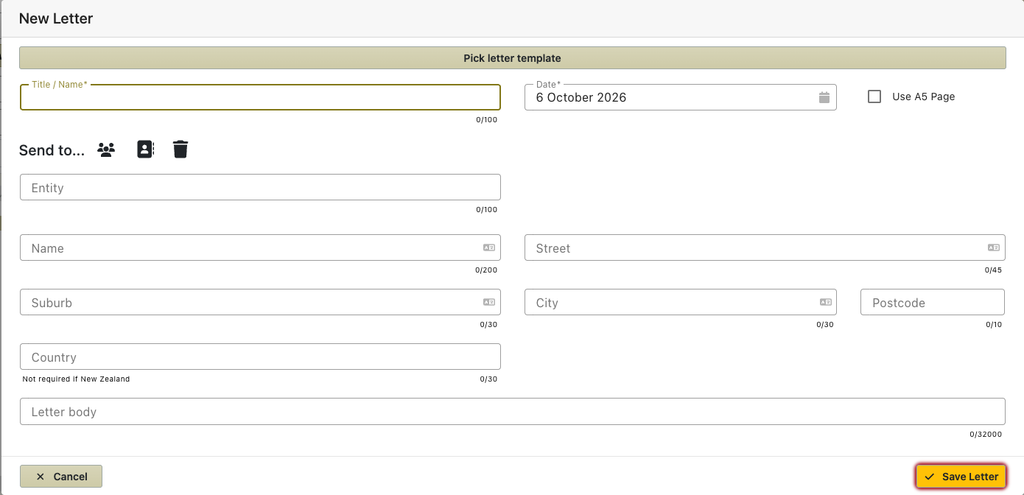
- Optionally click Pick letter template to fill the title and body from a template (see Letter templates below).
- Enter the Title / Name. This is required, and is how the letter is named in the list.
- Check the Date. It defaults to today.
- Tick Use A5 Page to print on A5 paper instead of A4.
- Choose who the letter is going to (see the next section), or type the Entity and address in yourself.
- Write the letter in Letter body.
- Click Save Letter.
Letter templates and data assistance
Templates save you writing the same letter twice. They are set up in Preferences / General / Letter Templates.
Using a template
- In the letter window, click Pick letter template.
- Pick a template from the list. – note that only templates that apply to the case type will be shown.
- The title and body are filled from the template, with case details such as names and dates filled in. If the template is set to A5, Use A5 Page is ticked.
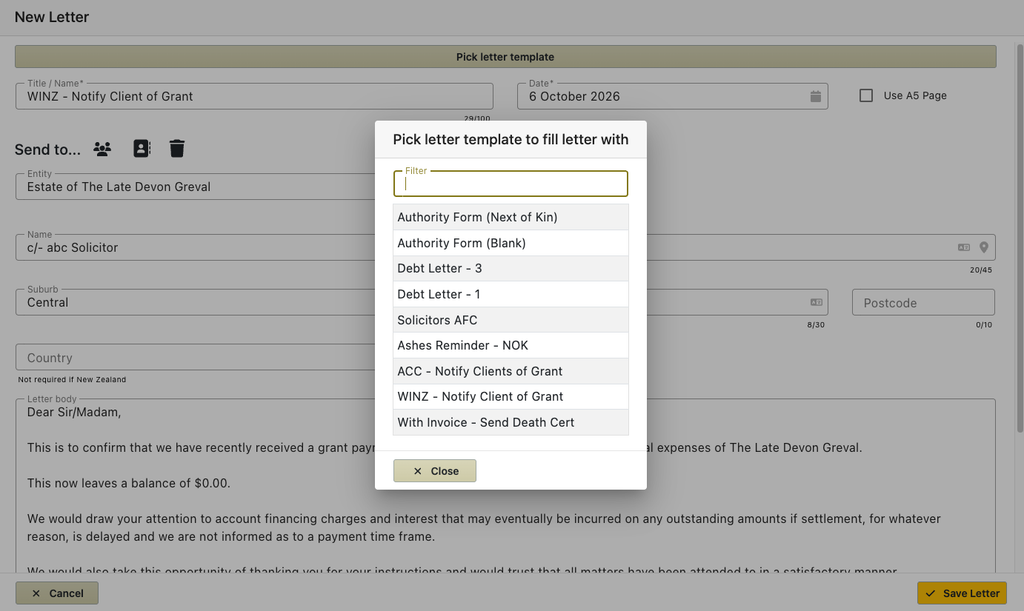
Picking a template replaces the title and body you have already typed.
If no templates suit the case, the window shows No letter templates for this case with a link to Letter Templates in Preferences.
Printing and editing Letters
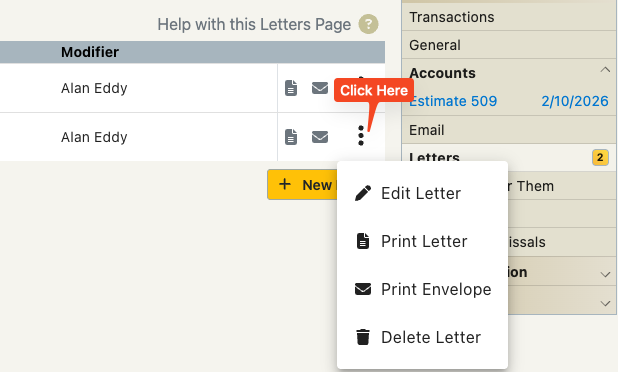
You are able to edit an esisting letter via the menu that opens when you click the three dots at the end of the row of a letter.
You can also use this menu for printing the letter and an envelope.
Emailing Letters
Remember that you can email a letter from within the print screen.
First print the letter and then choose the mail option to email it to someone.
This allows you to email a letter on official letterhead rather than just a text email with the same content.