
Terms and Conditions
You are able to display to the family within their view your terms and conditions.
These are able to be changed here in the portal settings.
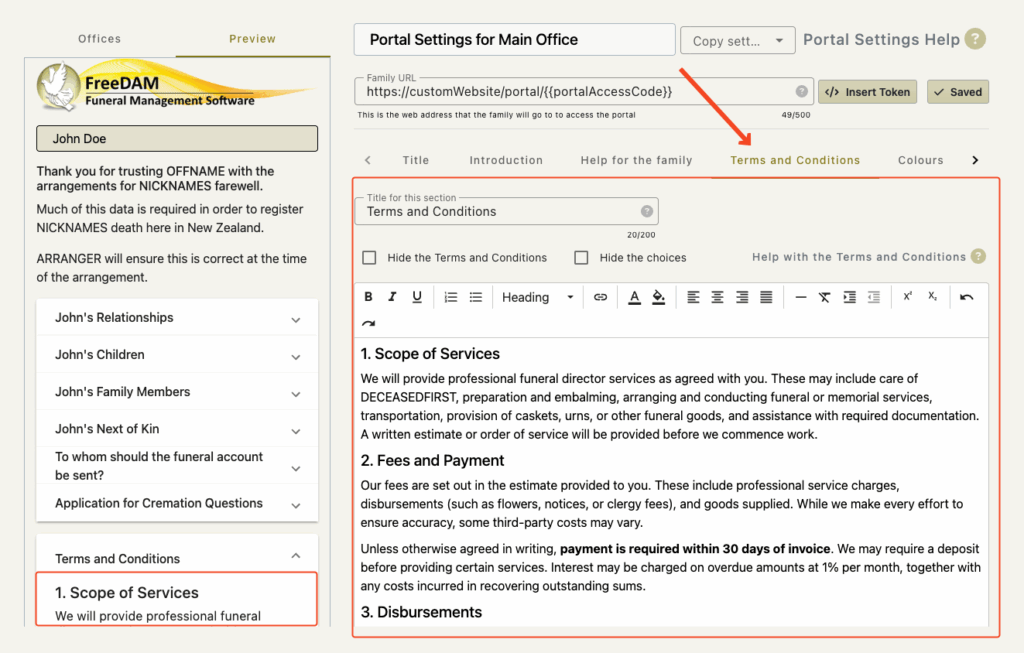
Formatting your Terms and Conditions
Formatting your terms and conditions is quite important for a good impression for the family.
There are a selection of html tools at the top of the text area for you to use.
Here are some examples of their use.
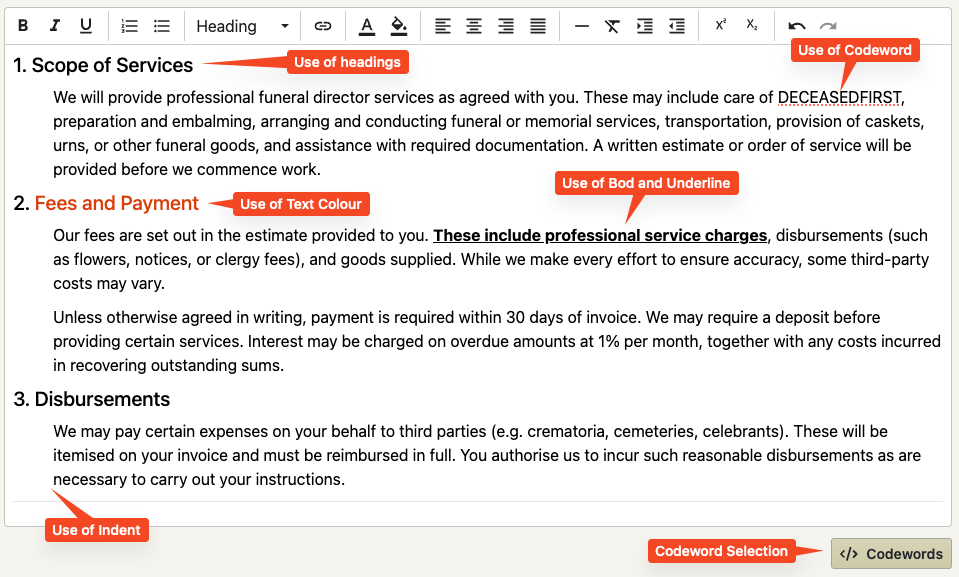
Code words can be used in the text – however these are very limited as at this stage we have very little knowledge about the case.
Changing the term ‘the deceased’ to a codeword that replaces this with the name of the case can have a positive impact on the family.
See also adding code words to personalise this section
Change the name of your terms and conditions
You do not have to have these called your ‘Terms and Conditions’
You can set the title for this area to anything you wish like…
- Engaging us?
- Engaging XYZ Funeral Home?
- Authority Agreement?
- Contract?
To do this just change the ‘Title for this section field.

Hiding the Terms and Conditions
It may be that you do not wish to have these displayed to the family at all and reserve the discussion of these for the arrangement. If this is the case – just tick the ‘Hide the Terms and Conditions’ check box.
Unlike the help sections, which funeral directors can enable on a case-by-case basis even if hidden in the office or company settings, hiding the terms and conditions here means they will never be displayed and cannot be turned on for individual cases.
The Question and Choices
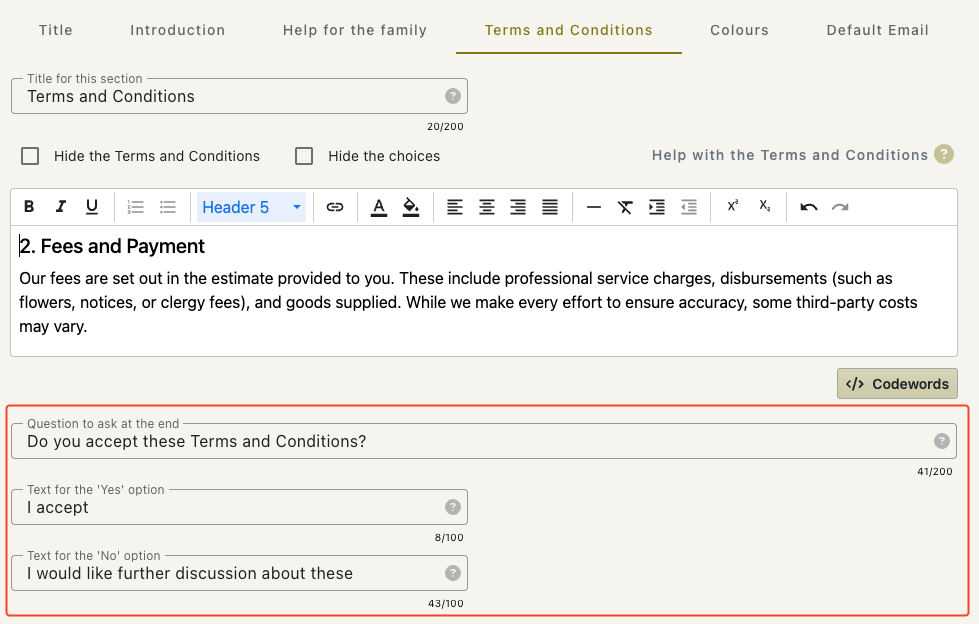
At the end of the terms and conditions you are able to ask a question with a positive or a negative response.
This gives the family the ability to indicate to you if they agree with your Terms and conditions or not.
After the actual box that contains your terms and conditions your will find three fields.
The Question to ask at the end
This is the text to the question you wish to ask e.g. Do you accept this agreement?
The text for the ‘Yes’ option
This is the positive answer and could be simply ‘Yes’ or ‘I accept’ or anything else
The text for the ‘No’ Option
This is the negative answer and could be ‘No’
But we suggest that some thought goes into this. A negative answer should not indicate that your services are rejected – rather – that they have some queries concerning what they have just read.
e.g. ‘Can you give me some more information about this.’ or
‘I would like to discuss this with you when I see you.’
Remember to check how this looks in the preview
If the family answer this question the answer will appear in The Funeral Directors Review Page
Like this

or like this

Hiding the Questions and Answers
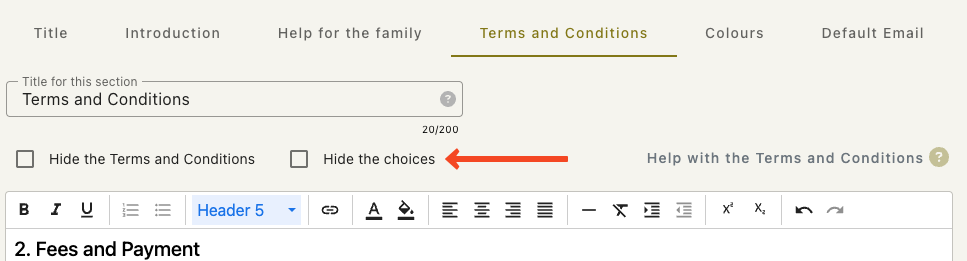
If you do want to display your terms and conditions but not have a response returned by the family you can simply hide these options.
IMPORTANT!
These need to be kept up to date.
If your terms change – then they need to be changed in the portal settings.