← How Access Works
Assigning a role/s to a user
Once you have all the various roles specified then you are able to ‘give’ a role (or multiple roles) to a staff member.
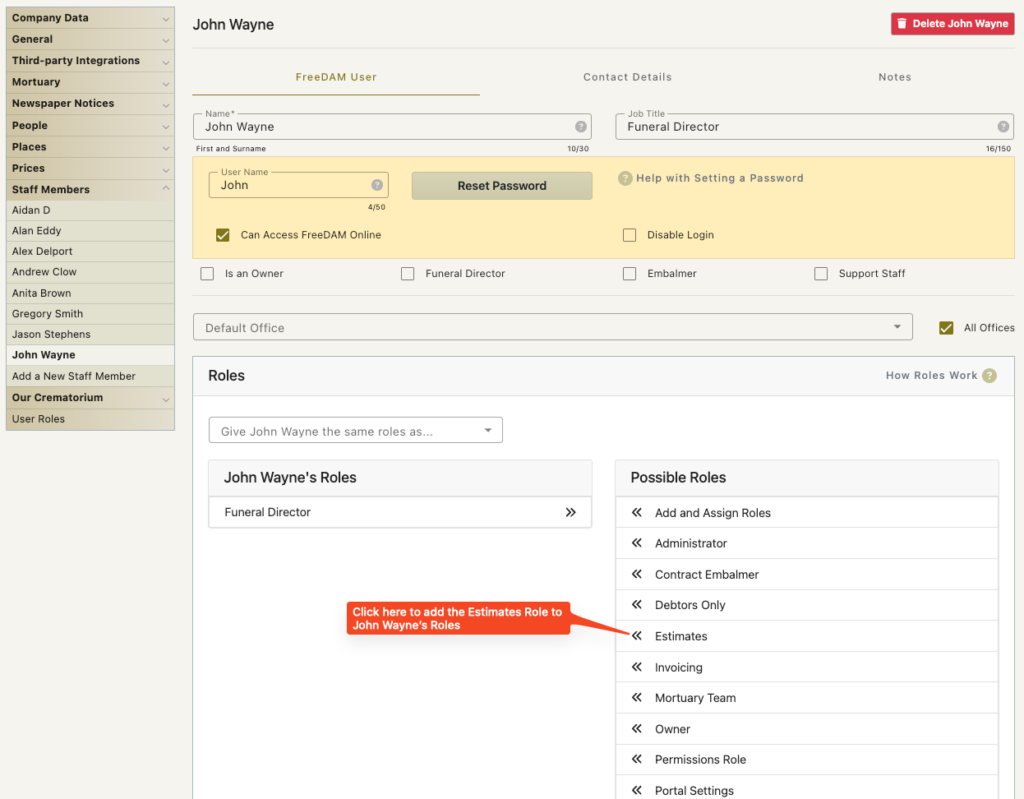
You do this by
- Navigating to the Staff members page (preferences/staff members)
- Click on the staff member you wish to add/remove a role for
- In the list of Possible Roles – Click the << arrows next to the role you wish add to the staff member
- Click Save
The staff member will get the all the permissions from all the roles they have.
If you ensure your roles have specific purposes and only allow for one thing, then this means you have very fine control over what staff members can do within FreeDAM.
For example…
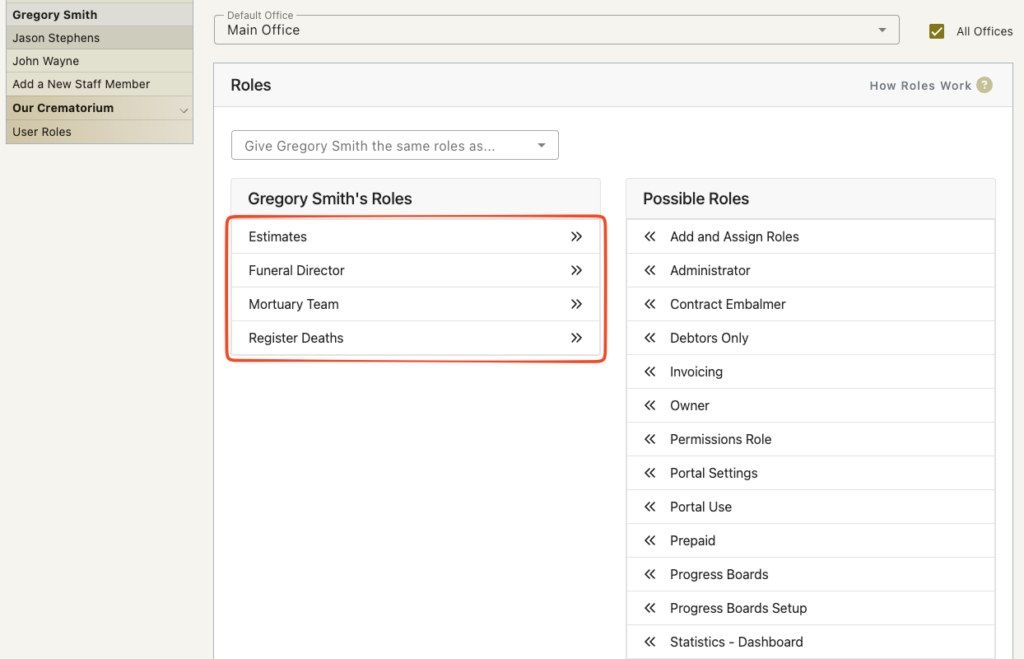
Gregory Smith can fill in the mortuary details as he is an embalmer as well as a funeral director.
He is also trusted for registering deaths and he can produce his own estimates for families.
But he does not have any invoicing permisssions.