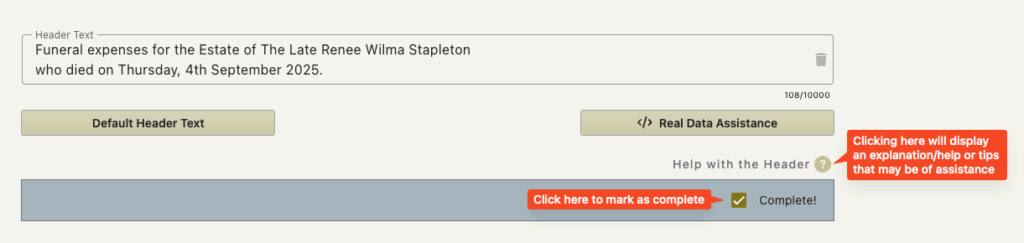
The Header
This holds true for an ‘Invoice’ or ‘Estimate’ and these terms in the text are interchangeable .
Each invoice has a header.
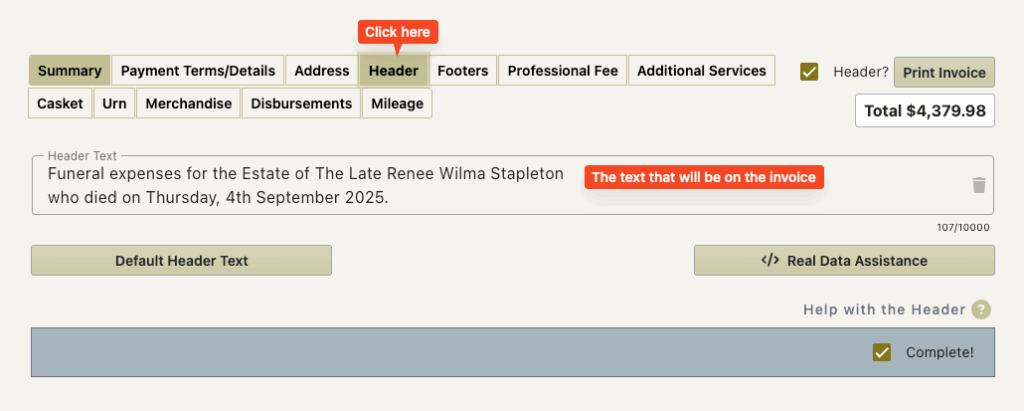
Invoice headers soften the impact of the invoice by allowing you to state the purpose of the invoice.
Invoice headers are useful to solicitors as generally the header contains who, what, when and where so that the solicitor can then just go straight to the total.
There are settings for the company to set this for you when the invoice is created.
The Default Header Text Button
You are able to edit/delete the header text.
You may need to do this for specific cases
i.e for the death of a baby where you may wish to adjust it for sensitivity.
If you have adjusted the text but want to reset it back to the standard default text then this button will do this for you.
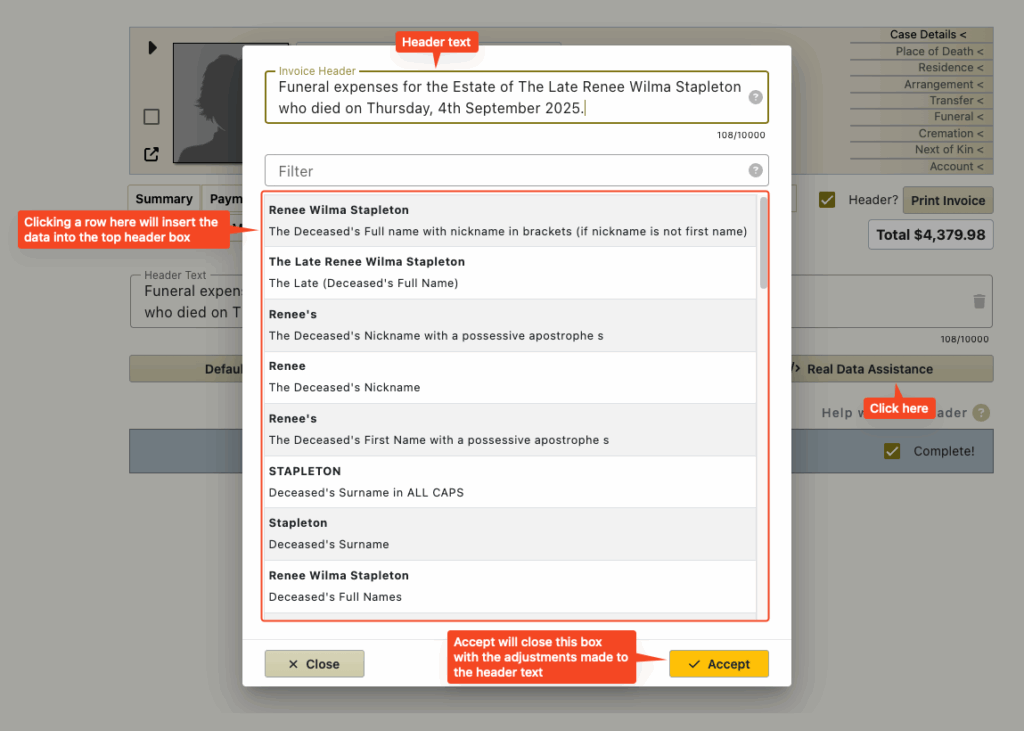
The Real Data Assistance button
If you would like to adjust the header it may be that you want to use real data from the case.
Rather than go to the particular area in FreeDAM to look up the data – you are able to click this button.
A box will open with the header field (and it’s current content) at the top.
A list of possible data to insert will be displayed at the bottom.
You can use the filter to narrow the possible data.
Once you find the data you want to add to the header text, clicking it will add it.
The Trash Icon
This is at the end of the header field and simply clears the field for you.
The Complete Checkbox
This allows you to indicate that you have checked the header text and are satisfied that it is correct.
This check box is the same one to the left of the header line on the summary screen.