
The Footers
This holds true for an ‘Invoice’ or ‘Estimate’ and these terms in the text are interchangeable .
Each invoice has two footers.
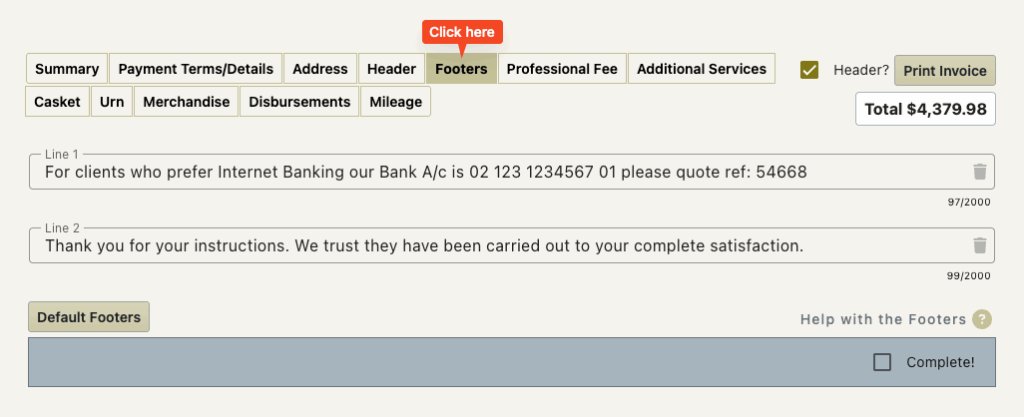
These allow you to add extra messages to the invoice.
Often they contain the bank account details but can also contain a message of thanks or a reminder that the company also does monumental work.
There are settings for the company to set these for you when the invoice is created.
Changing the footers
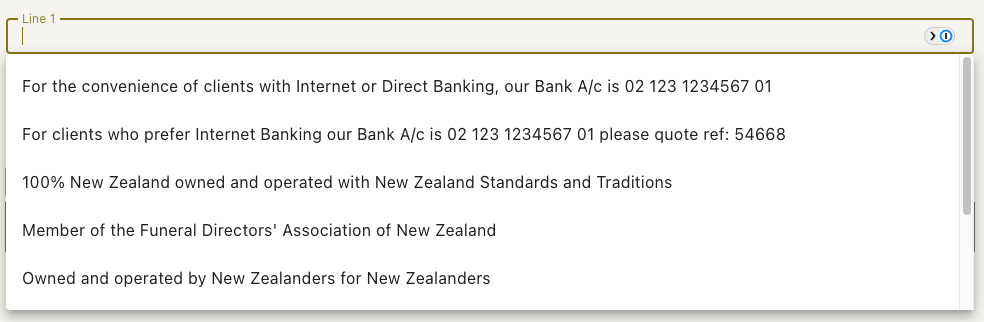
You are able to delete a single or both footer text messages or freely type a message in them.
If you delete them some common options from the company settings will display for you to chose from if you wish.
The Default Footers Button
You are able to edit/delete the footer text.
If you have adjusted the text but want to reset it back to the standard default text then this button will do this for you.
The Trash Icon
This is at the end of the footer fields and simply clears the field for you.
The Complete Checkbox
This allows you to indicate that you have checked the footer text and are satisfied that these are correct.
This check box is the same one to the left of the footer line on the summary screen.