
← Invoices and Estimates
Creating a new Estimate
Before creating an estimate for a funeral case please ensure the following information is filled in on the main details screen.
- Disposition type
- Place of funeral
- Place of burial or cremation
- Place of death and date of death
- Who the account is going to
- The casket / coffin and the price
- The urn and the price
The reason for this is…
- The header and many of the service options use this information to construct personalised invoice text
- The estimate data is stored in a separate table within FreeDAM and the casket / coffin, urn and account details will be transferred to this table.
If you do not have the casket / Coffin, urn or account details filled in before creating the estimate you will have to fill it in on the estimate AND then fill it in on the main details screen also.
Creating a new estimate
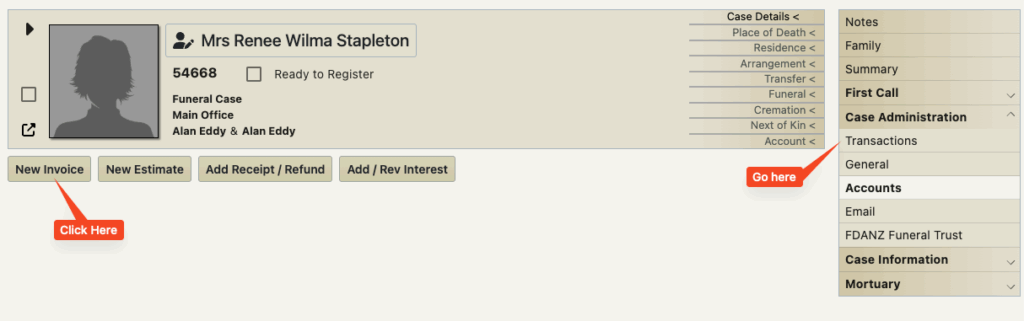
Go to the case administration – transactions section of FreeDAM and click the ‘New Estimate’ Button.
A new estimate is created and will display like this.
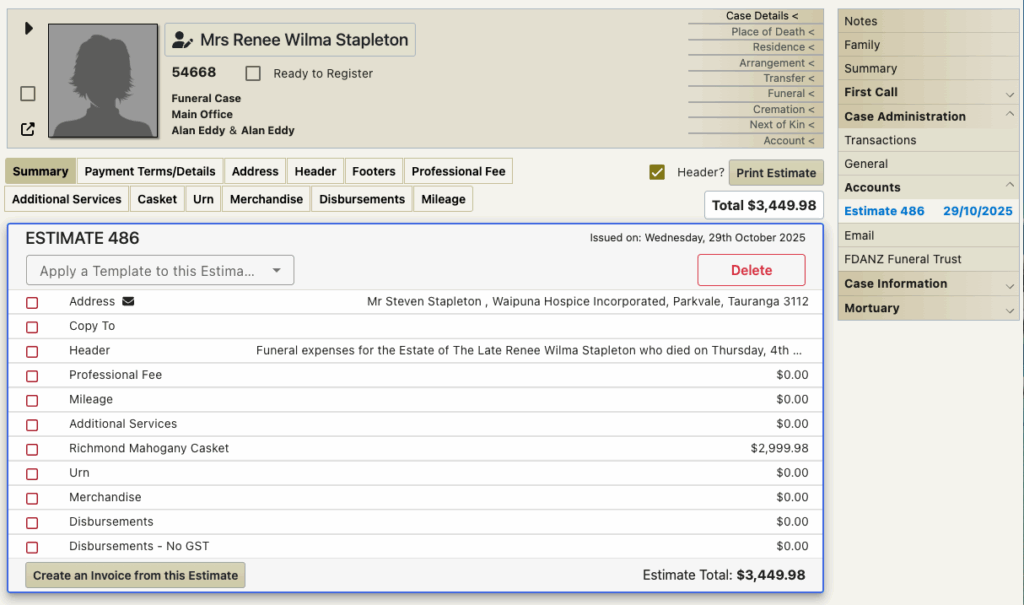
So what has happened?
- An estimate has been created for this case.
- The estimate has been given a unique number
This is NOT the case reference number and cannot be changed by users. - In the above image you can see that the software has taken you to the estimate and is displaying the summary screen.
- FreeDAM has also added the account address, the header, the casket / coffin and urn if there is one.
- The estimate is outlined in blue
- The menu on the right displays the estimate in blue under an accounts section
(if there are multiple estimates then there will be multiple menu items)
You are now able to fill in the specific services, fees and disbursements on the estimate.